


AI in Action: Make.com Automation + Plaud NotePin , Less Clicking, More Leading
- Matthew Kaufman

- Nov 8, 2025
- 6 min read
The best camp leaders know something their peers are still figuring out: the hours you spend clicking, forwarding, and typing are hours you're not coaching, mentoring, or connecting with your team and campers.
Think about your typical Tuesday. How much time did you spend manually forwarding registration emails, copying information between spreadsheets, or frantically taking notes during that important staff meeting? If you're like most camp professionals, it's probably more than you'd like to admit.
Here's the thing, while camp is fundamentally about human connection and getting kids away from screens to develop real problem-solving skills, that doesn't mean your administrative work has to be stuck in the stone age. Two tools are giving camp leaders their time back: Make.com, a no-code automation platform, and Plaud NotePin, an AI-powered pocket recorder that turns conversations into searchable knowledge.
Used together, they help any camp office shift from "busy" to actually productive.
Make.com: Your Camp's Invisible Assistant

What if you could have a staff member who never forgets a task, never takes a sick day, and can handle dozens of routine jobs simultaneously? That's essentially what Make.com offers.
Make.com is a visual automation platform that connects the apps you're already using, Google Sheets, Gmail, Slack, Forms, CampMinder, Trello, and builds workflows that run automatically. No coding required. No developer needed.
Here's how it works: each "scenario" listens for a trigger (like a new form entry or email), then performs a sequence of actions (add a row, send a message, update a task board). Think of it as Zapier's more powerful cousin, with better visualization and detailed logging.
The pricing is camp-friendly too. Free for small workloads, with paid plans starting around $9 per month. Recent updates in October 2025 added direct AI connectors for OpenAI, Anthropic, and Google Gemini, so you can now combine automation with text generation inside one workflow.
Why This Matters for Your Camp
Camps run on forms, spreadsheets, and emails. Every registration, refund request, staff application, supply order, and parent question creates digital chores. Make handles those chores automatically and reliably.
Here are some real-world examples that'll sound familiar:
When a parent fills out your inquiry form, Make instantly adds them to your CRM, sends a personalized welcome email, and alerts your registrar in Slack, no human intervention needed.
Staff reference checks become seamless: once a counselor submits their reference contacts, Make forwards the forms to each reference, updates the candidate's status, and schedules interview reminders.
Purchase requests flow smoothly: when a department head submits a supply request, Make emails your business office for approval and logs everything in your finance tracker.
Getting Started in 15 Minutes
Ready to try it? Here's a simple first automation:
Create an account at make.com
Click "Create a Scenario"
Choose Google Forms as your trigger
Add Gmail as your action module
Add Slack as a second action
Map the fields (parent name goes to email greeting, etc.)
Test it once and save
Result: When a new form entry arrives, the parent gets an immediate email and your team gets a Slack notification, without anyone lifting a finger.
Plaud NotePin: Turn Conversations Into Knowledge
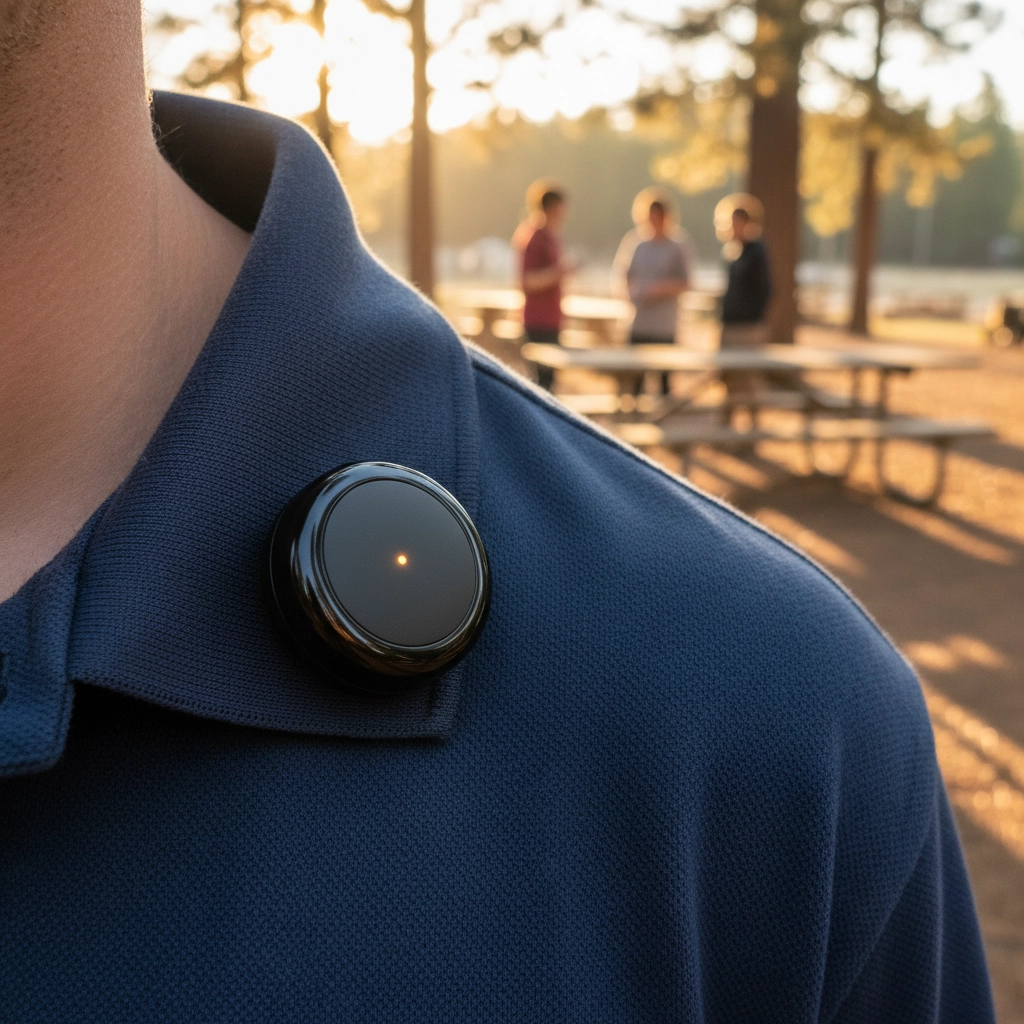
Now let's talk about capturing the conversations that actually matter. At camp, the most important decisions happen in pavilions, during post-activity debriefs, and in those hallway conversations after dinner. The Plaud NotePin ensures none of that wisdom gets lost.
This palm-sized recorder uses built-in AI to transcribe and summarize what it hears. Clip it to your shirt, place it on a table, press record, and after your meeting, the companion app delivers a full transcript, time-stamped highlights, and a concise summary.
It supports over 100 languages, identifies different speakers, and syncs everything to the cloud securely. At about $159 for a one-time purchase, it's gotten stellar reviews (4.9/5 from nearly 2,000 users) since its latest update in September 2025 added ChatGPT-powered summaries.
Camp-Specific Use Cases
Think about these scenarios:
Leadership meetings where action items typically get lost in the shuffle: NotePin captures everything and auto-generates a summary with clear next steps.
Training sessions with guest speakers: transcribe the entire presentation and create summaries for staff who couldn't attend.
Incident reviews where accuracy matters: capture details verbally, then turn them into written reports without spending an hour typing.
Program innovation brainstorms: record the creative session, then auto-extract the top ideas into a shared document.
Privacy and Best Practices
Always inform participants you're recording (standard courtesy). Store sensitive conversations in restricted folders. Use the device's offline mode when Wi-Fi isn't available, and delete temporary files from your phone after uploading to the cloud.
How They Work Together
Here's where the magic happens. Think of Plaud NotePin as the input and Make.com as the engine that turns that input into action.
Example Workflow:
Record your weekly leadership meeting with NotePin (20 minutes)
The device generates a summary with clear action items
Export that summary to a specific Google Drive folder
Your Make.com scenario detects the new document
Make parses the text, finds lines starting with "Action:"
It automatically creates tasks in your project management system
Each team member gets emailed their specific assignments
A digest gets posted to your staff Slack channel
Within ten minutes of your meeting ending, spoken ideas have become tracked, assigned tasks. No one had to type a single thing.
Camp-Specific Applications

Leadership and Governance
Record board meetings for accurate minutes, then use Make to automatically distribute summaries to committee chairs. Staff evaluation sessions get voice-recorded and auto-summarized for HR files.
Operations and Safety
Incident follow-ups become streamlined: record your on-site debrief with NotePin, then Make routes the summary to your Safety Officer and logs it in your incident tracker. Supply chain workflows move purchase requests from forms to approval emails to vendor spreadsheets automatically.
Communications and Parent Relations
Record your daily director updates, transcribe them with NotePin, and use Make to email summaries to parents or post them to your website. Post-camp survey data gets aggregated and themed automatically for leadership review.
Staffing and Training
Build a searchable training library by recording staff sessions and auto-tagging them by topic. New staff can search for "behavior management" or "homesickness" and find exactly what they need. Performance tracking reminders get sent automatically to division heads each Friday.
Action Steps for This Week
Ready to get started? Here's your roadmap:
Map one repetitive process. Pick something simple like parent inquiries or meeting follow-ups. Write down every manual step so you can see where automation fits.
Create a Make account and build one test workflow. Start with the free plan and try a Google Form to Email automation.
Try the Plaud NotePin. Record one leadership meeting this week and compare the AI summary to your usual handwritten notes.
Connect the tools. Export NotePin summaries to a specific Drive folder that triggers your Make workflow.
Share with your team. Host a quick 15-minute demo showing the automation in action.
Draft a simple AI policy. Two paragraphs covering approved tools, data access rules, and who monitors usage.
Final Thoughts
Camp is built on human connection and developing young problem solvers who can think independently when technology isn't available. That foundation doesn't change. But connection requires time and attention: resources that get consumed by administrative clutter.
Automation and AI note-taking aren't about replacing humans. They're about removing the digital busy work that keeps humans from doing their most important work. When counselors aren't spending 30 minutes typing up incident reports, they can spend that time mentoring campers. When directors aren't manually forwarding registration emails, they can focus on program innovation.
Make.com gives you a digital team member who never forgets. Plaud NotePin gives you perfect recall of the moments that matter most. Together, they help you lead more and click less.
The goal isn't to make camp more digital: it's to make the digital parts of camp administration so efficient that you can focus on what actually matters: building character, fostering creativity, and developing the next generation of independent problem solvers.
Start with one automation and one recording this week. Measure the time saved. Then decide where those recovered hours can do the most good for your campers, staff, and camp community.
Resources:
Make.com official site and pricing (free tier + $9/month paid plans)
Plaud NotePin product page (~$159 one-time purchase)
Make Help Center: "Integrating Make with Google Drive and Gmail for Beginners"
Want more insights on youth leadership and camp innovation? Follow along at ilove.camp and connect with me on Instagram (@MattLovesCamp) and LinkedIn for daily updates from the camp world.


Comments