


Tuesday Daily Brief: Building Resilient Camp Operations Amid Rising Cloud Outages
- Matthew Kaufman

- 1 day ago
- 4 min read
A new report from the National Telecommunications and Information Administration just dropped some eye-opening data about cloud reliability. Cloud outages jumped 24 percent this year, with authentication failures, routing errors, and stressed content delivery networks causing major headaches for schools, hospitals, retailers, and city agencies.
If your camp relies on cloud tools for medical forms, transportation planning, parent communication, or staff scheduling, you're facing rising operational risk. And let's be honest: most of us do depend on these systems more than we'd like to admit.
Today's brief helps you build backup plans that keep your camp running smoothly, even when your favorite platforms decide to take an unexpected nap.
Why This Matters for Your Camp
Think about your typical camp day. You're using cloud tools for parent communication, medical form intake, staff onboarding, transportation assignments, incident reporting, and scheduling. When these systems hiccup during drop-off or pickup, every bus gets delayed. A glitch during medical intake creates errors in allergy lists. A sync failure during dismissal slows everything down.
The research shows these disruptions often last just minutes, but some stretch over an hour. During a camp day, minutes absolutely matter.
Your job is keeping operations steady when systems fail. Here's how to prepare your team with simple plans that maintain safety and help staff work without panic.

12 Actions to Build Resilient Operations
Action 1: Map Your Critical Workflows List every camp operation that depends on cloud tools. Focus on medical forms, bus routing, attendance tracking, staff scheduling, swim records, and parent messages. For each workflow, identify what fails during an outage and what your staff need to continue working.
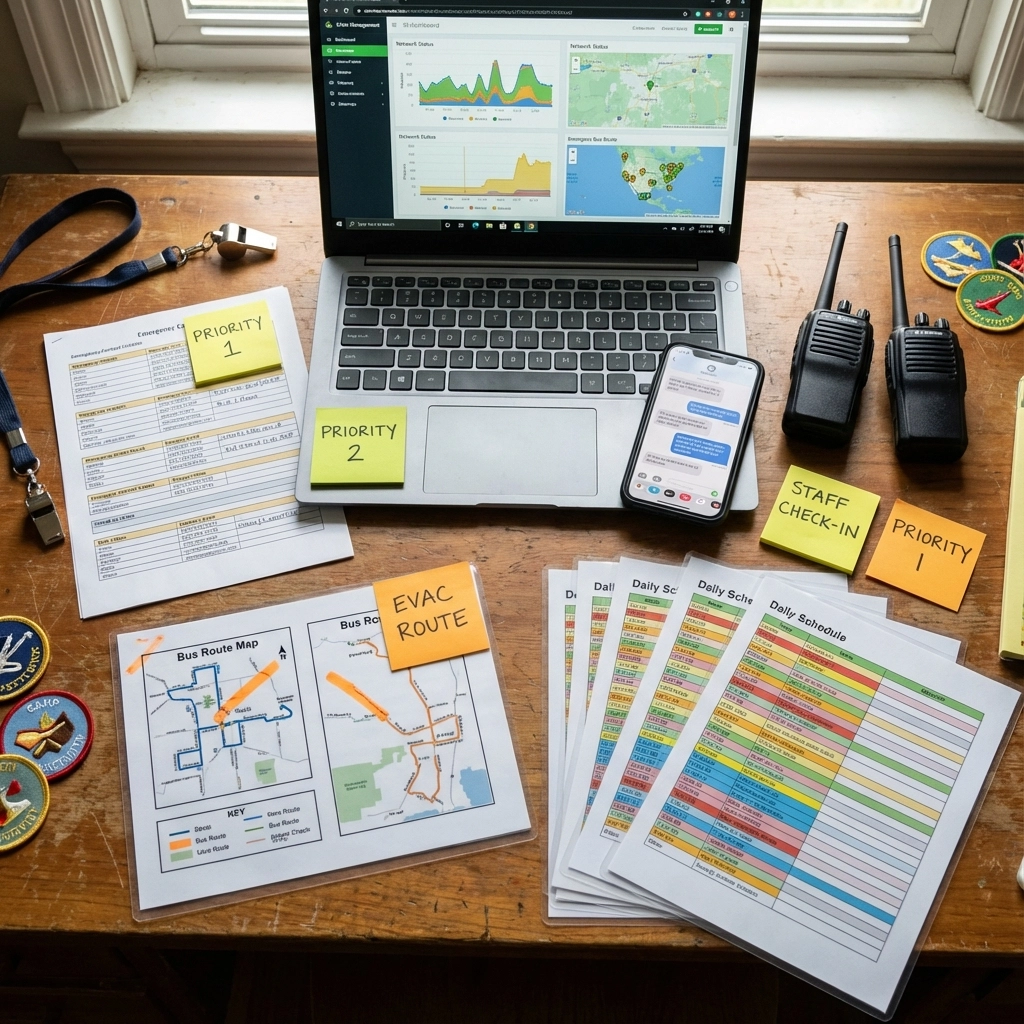
Action 2: Build Simple Offline Backups Create offline copies of your most important information. Print a daily roster for each group, allergy and medical alert sheets for each division, bus manifests for arrival and dismissal, and keep a local file with emergency contacts. Update these every morning.
Action 3: Set Up Data Mirrors Don't put all your eggs in one digital basket. Mirror health alerts into a simple spreadsheet, bus assignments into a local database, and attendance into a shared document that syncs when online. A daily export works fine: you don't need fancy sync tools.
Action 4: Standardize Paper Fallbacks Your staff need quick actions, not long instructions. If attendance apps fail, counselors mark paper sheets. If bus routing tools freeze, supervisors use printed manifests. If parent messaging fails, your office switches to mass SMS through a backup channel.
Action 5: Simulate a Midday Outage Run a short drill during spring training. Tell your staff the primary systems are down and ask them to continue normal workflow for ten minutes. Watch for confusion around leadership, gaps in printed information, and slow handoffs between groups.
Action 6: Review Vendor Status Pages Check the outage history of your medical form vendor, scheduling platform, communication tool, and transportation system. Look at the last twelve months. If a vendor had multiple disruptions near peak season, prepare heavier redundancy.
Action 7: Set Up Alert Channels Create a simple internal system where your office posts alerts, supervisors confirm receipt, and team leads share updates. Limit this channel to leadership to avoid noise and confusion.
Action 8: Strengthen Your Campus Network Some disruptions come from stressed wireless networks on your own grounds. Add an extra router near bus areas, spread devices across multiple access points, use wired connections for critical tasks, and run speed tests in all activity areas before season starts.
Action 9: Prepare for Sync Delays When scheduling through cloud tools, expect synchronization delays that create mismatches between morning exports and live updates. Export a final copy at 8:30 AM each day, share this as your single source of truth, and train staff to use printed versions when updates differ.
Action 10: Build Daily Verification Structure Verify your data each morning, even when systems run smoothly. Check allergy lists, medical alerts, attendance rosters, bus assignments, and swim groups. This protects your camp from silent errors that appear during busy moments.
Action 11: Designate an Operations Lead Choose one person who decides when to switch to fallback systems. Give them authority to announce system switches, approve return to normal workflow, and coordinate with the office. Clear leadership reduces stress for everyone.
Action 12: Invest in a Simple Local Database Consider a small local database that stores core information when cloud platforms fail. Include camper names, groups, allergies, emergency contacts, bus assignments, and medication directions. This protects you when external vendors slow down at peak times.
Building Confidence Through Preparation
Here's the thing about technology at camp: it should enhance the human connections and problem-solving skills that make summer special, not create dependency that crumbles under pressure. When your staff know they can handle outages calmly, they model the kind of resilience and adaptability we want campers to develop.
Cloud outages have increased, but camps with simple redundancies stay stable during disruptions. You lead stronger operations when you assume systems will slow and prepare your teams to continue without hesitation. Your response during outages shapes the pace, safety, and confidence of your entire camp day.
Want more insights on youth leadership and camp innovation? Follow along at www.ilove.camp and connect with me on Instagram (@MattLovesCamp) and LinkedIn for daily updates from the camp world.
Comments